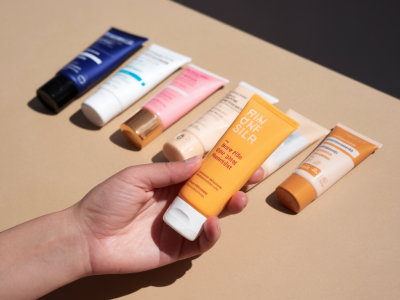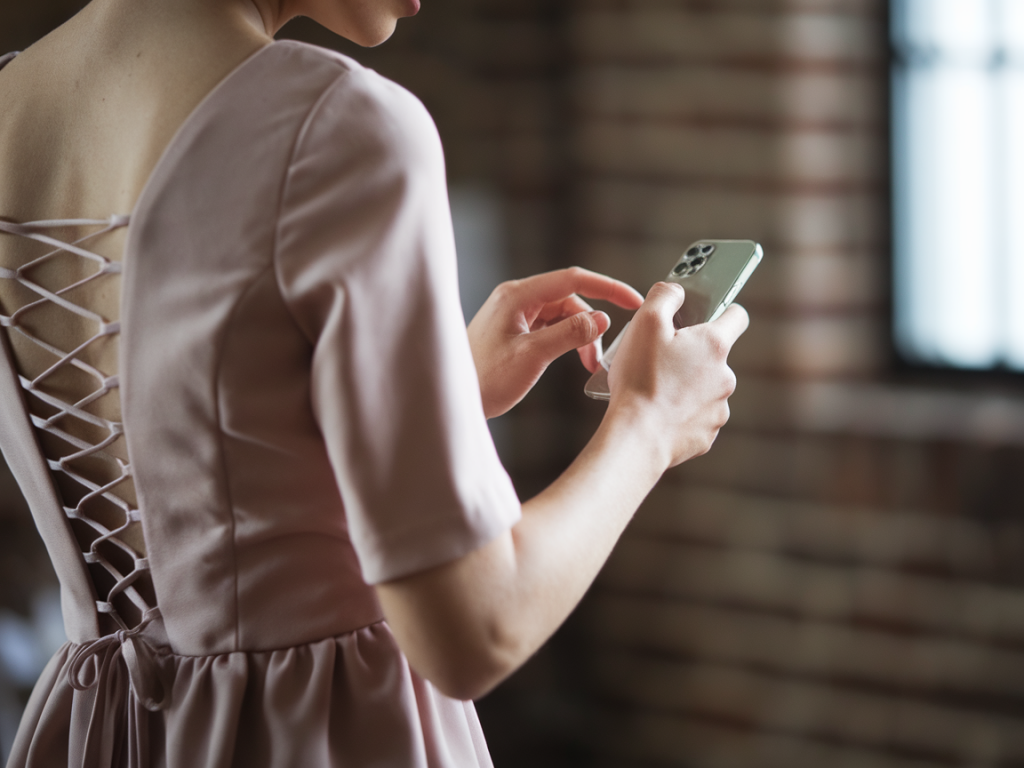
I shoot most of the outfit detail photos for Glassespeaks on my phone, often at the kitchen table or propped up against a stack of books — no tripod, no studio lights, just whatever I have to hand. Over time I’ve learned little tricks that make a big difference: sharper images, more flattering angles, and photos that feel intentional rather than thrown-together. If you want crisp, scroll-stopping detail shots for your blog or Instagram without buying extra gear, these are the techniques I reach for every time.
Start with simple lighting rules
Lighting is everything. When I’m photographing textures — a knit cuff, the seam of a dress, or an interesting button — I always look for soft, natural light. Direct sun creates harsh shadows and blown highlights, so I aim for:
- Indirect daylight from a north-facing window if possible. It’s soft and even.
- Window light with a diffuser — a thin white curtain or even a sheet works. It creates that gentle glow photographers love.
- Golden hour for moodier shots. Early morning or late afternoon light adds warmth and depth to textures.
If the room feels too dark, I use a plain white paper or a cheap foamboard as a reflector to bounce light back into shadows. I keep one in a drawer and it transforms dull photos instantly.
Create stability without a tripod
One of the most common questions I get: “How do you keep your phone steady?” I don’t use a tripod much. Instead, I rely on everyday items:
- Stack of books — perfect height adjuster. I tape a non-slip mat or a bit of double-sided tape where the phone will sit.
- Lean against a wall — if you need a side angle, prop the phone against a stable surface and angle it slightly with a pencil or a folded napkin.
- Beanbag or folded jumper — for low-angle shots and flatlays, this gives a steady, cushioned base.
- Self-timer and burst mode — set a 2–3 second timer so you can steady the phone, or use burst mode to capture several frames and pick the sharpest.
- Remote shutter or earbud button — inexpensive Bluetooth remotes or the volume button on wired earbuds work great for trigger control.
These tricks allow me to create very stable images without investing in a tripod. For repeatable setups (I often shoot a series for a capsule wardrobe post), I mark positions on the table with tiny Post-it tabs so I can return to the same alignment later.
Composition: make the detail feel intentional
Outfit details should tell a short story. I try to answer: why is this detail interesting? Is it the texture, the stitch, the hardware, the way it sits on body? Once I know that, I compose around it.
- Fill the frame when highlighting texture — knit, embroidery, or fabric grain look stronger when they dominate the image.
- Leave breathing room for seams, buttons or fastenings — a little negative space helps the eye rest.
- Use diagonals to add dynamic energy: place a sleeve, cuff or lapel on a diagonal rather than perfectly horizontal.
- Include a hint of scale — a hand, a scarf tassel or a necklace chain gives context to the detail.
I often switch between close macro-like shots and slightly wider frames that show the detail in context. Both are useful: one for the texture, the other to show how it sits on a body or garment.
Angles and movement for more interest
Experimenting with angle is one of my favourite parts. A tiny tilt can make a cuff look more elegant, or reveal how a fabric drapes. Try:
- Top-down (flatlay) — great for belts, bags, jewellery and shoe details. Use books or an Ikea LACK table to vary your height.
- 45-degree angle — flattering for clothing seams and lapels, helps show texture without flattening it.
- Macro/close-up — get close until your phone focuses, then move slightly back if it softens. Use the phone’s macro mode or portrait mode if it has one.
- Movement — ask your partner or a friend to flick a sleeve or let the fabric catch the air. Movement often reveals natural fold lines and texture.
Use camera settings like a pro
Phones today have powerful controls if you know where to look:
- Gridlines — turn these on to apply the rule of thirds and keep horizons straight.
- Exposure lock / tap-to-expose — tap your subject on screen and then slide up or down to adjust brightness; lock exposure if you’re recomposing.
- Focus — tap the part of the detail you want sharp. For very close shots, use portrait mode sparingly; it can help isolate a detail but sometimes overblurs.
- Shoot RAW — many phones (and apps like Lightroom Mobile) allow RAW capture which gives more editing flexibility, especially for colour and highlight recovery.
I personally shoot in my phone’s native camera for speed, but switch to Lightroom Mobile when I want maximum control or plan to batch edit a series.
Backgrounds, textures and styling
Simple backgrounds keep attention on the detail. I prefer neutral linens, aged wooden boards, or a plain wall for contrast. A few styling notes:
- Keep colours complementary — if the garment is bold, choose subdued backgrounds so the detail still pops.
- Add context with props — a spool of thread, a pair of vintage scissors, or a coffee cup can make a detail feel lived-in and authentic.
- Mind the edges — make sure the edges of the frame are clean: no lint, dust or distracting labels.
I keep a small “kit” — a folded linen, a wooden board, a white foamboard, and a few props — in a corner of my flat. It’s tiny but it makes every shoot look more considered.
Editing: small changes, big impact
Editing is where photos come to life. I do light edits to preserve texture and colour accuracy:
- Crop and straighten first to refine composition.
- Adjust exposure and contrast to bring out texture; slightly lowering highlights often helps fabric detail.
- Clarity and texture sliders — subtle increases enhance knit and stitching without looking oversharpened.
- White balance — correct to true whites so colours remain consistent across posts.
- Use presets carefully — I have a few Lightroom presets that maintain skin and fabric tones consistently across seasons.
Apps I use regularly: Lightroom Mobile for colour and batch edits, Snapseed for quick local adjustments, and VSCO when I want a film-like finish. Don’t overdo filters — the aim is honest, beautiful representation of the garment.
Practical workflow for quick shoots
When I’m short on time, I follow a simple workflow that keeps shots coherent across a post:
- Pick a time of day when light is consistent (usually morning).
- Set up background and reflector first.
- Take a mix of close-up and contextual shots (3–4 of each). Use burst/timer for steady frames.
- Upload and pick the best 6–8 images to edit together for a consistent look.
- Export with the same crop and colour settings for Instagram or blog use.
This approach takes about 20–45 minutes for a single outfit detail series and gives me a small, polished library to choose from.
Small habits that improve every shoot
A few final habits I’ve built that pay off: keep your phone lens clean (tiny smudges ruin macro shots), remove distracting tags or reflections before shooting, and keep a notebook of poses/angles that worked so you can repeat them later. Also, resist the urge to over-edit — authenticity is what readers respond to most.
Photography without a tripod is about making the most of what you have: soft light, steady hands (or a stack of books), thoughtful composition, and small, consistent edits. With these tools you can create detail shots that feel polished, personal and perfectly suited to a blog like Glassespeaks — where style meets real life.